
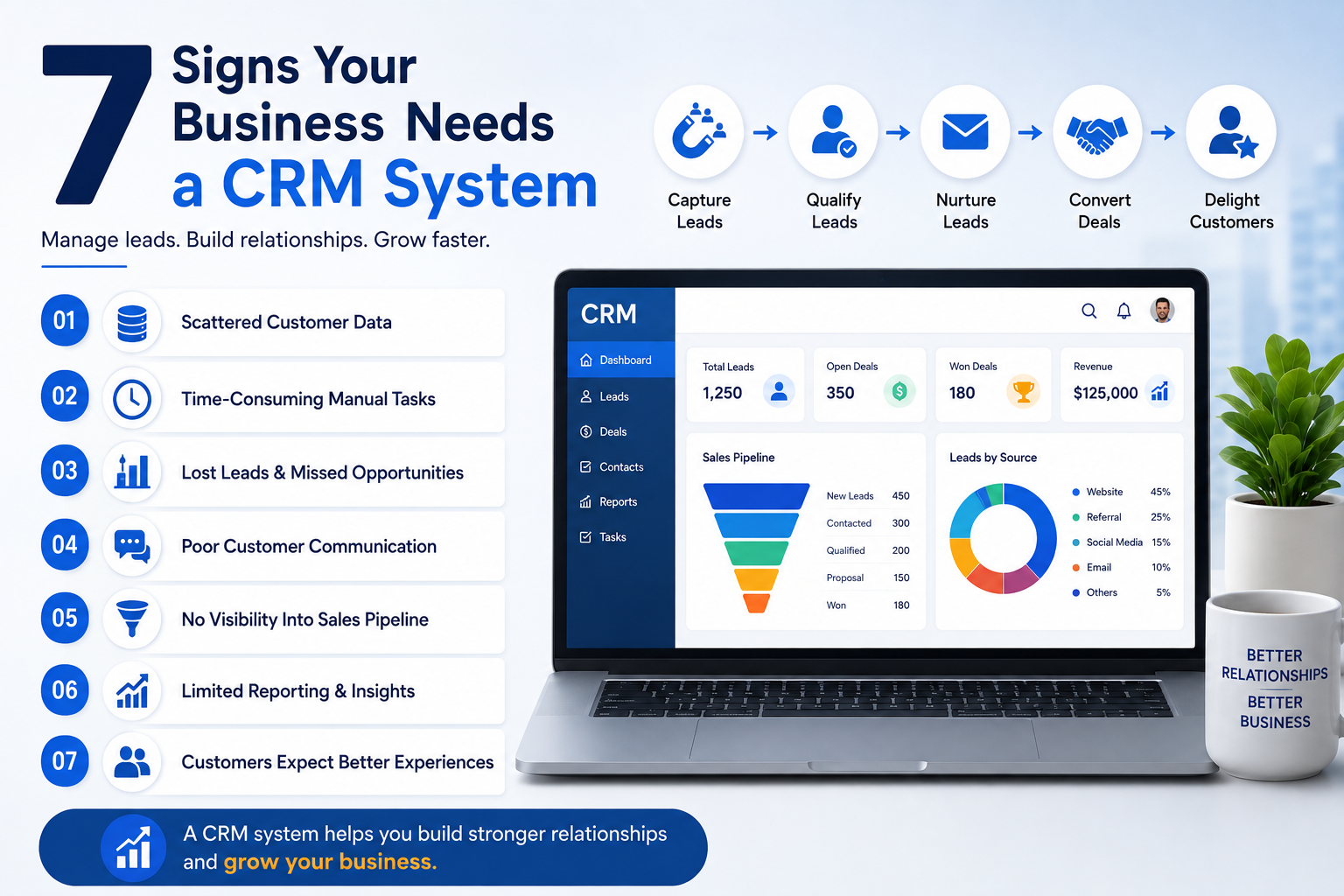
7 Signs Your Business Needs a CRM System
Running a business becomes more challenging as the number of customers, enquiries, leads, and sales opportunities increases. In the beginning, managing customer information through Excel sheets, WhatsApp messages, notebooks, emails, and phone calls may seem manageable. As your business grows, this approach can quickly become confusing and inefficient.
Important enquiries may get lost in WhatsApp chats. Sales representatives may forget to follow up. Customer details may be scattered across different files. Managers may struggle to understand which leads are active and which opportunities are being missed.
This is where a Customer Relationship Management (CRM) system makes a real difference — organizing customer information, managing leads, tracking sales activities, automating follow-ups, and creating a clearer view of the entire customer journey.
7 Clear Signs Your Business Needs a CRM
Customer details stored across Excel sheets, WhatsApp, emails, notebooks, mobile contacts, and different apps make it difficult to get a complete picture of a customer. If a customer contacts you through WhatsApp, then a call, then an email — and each interaction is recorded in a different place — your team may not know the full history.
A CRM centralizes this information, so your team always knows who the customer is, who's handling the lead, what's been discussed, and what the next action should be.
Most potential customers don't buy on the first interaction — they need more information, time, or approval. When follow-ups are tracked manually, they get forgotten. A salesperson speaking to 20 leads in a day can't reliably remember who needs a callback and when.
A CRM lets teams record the next follow-up date, add notes, track lead status, and set reminders — replacing "did anyone follow up with this customer?" with a quick status check.
Leads arrive from your website, ads, social media, WhatsApp, calls, referrals, and events — but if you can't track what happens after, you may be losing customers without realizing it. A CRM tracks leads through defined stages:
New Lead → Contacted → Follow-Up → Qualified → Proposal Sent → Negotiation → Won or Lost
This makes it easy to spot exactly where potential customers are dropping off — for example, if many leads are lost after receiving a quotation, you can investigate pricing, response time, or competition.
Manually opening a file, finding the right customer, updating status, adding notes, and sharing the file with the team after every interaction is time-consuming — and it creates duplicate records, outdated information, and confusion about which version is current.
A CRM is purpose-built to manage this. Records update directly in one system, freeing sales reps to spend more time talking to customers instead of managing files.
If you can't immediately answer how many active leads you have, how many proposals are out, or why leads were lost this month — without checking multiple spreadsheets or asking every salesperson — your business likely needs a CRM.
A CRM structures the pipeline into stages (New Enquiry → Contacted → Qualified → Demo Scheduled → Proposal Sent → Negotiation → Closed Won/Lost), helping managers spot bottlenecks and make better decisions.
Customers expect businesses to remember previous conversations. Having to re-explain requirements to a different employee every time feels frustrating and unorganized.
A CRM stores customer history and notes so any authorized employee can pick up the conversation with full context — improving communication and making customers feel understood.
Manual processes work fine with a handful of customers. As the business grows, problems appear — too many enquiries, missed follow-ups, duplicate records, unclear lead assignment, and limited sales visibility.
A CRM provides a scalable, structured foundation: Capture Lead → Assign Owner → Contact Customer → Schedule Follow-Up → Update Status → Track Conversion — standardized across the whole team.
How a CRM System Can Help Your Business
When implemented correctly, a CRM supports different stages of the customer journey — not just storage.
Centralized Customer Management
Store important customer information in one organized location instead of scattered files.
Lead Tracking
Track where every lead came from and understand its current status at a glance.
Follow-Up Management
Create reminders and organize future sales activities so nothing gets forgotten.
Sales Pipeline Visibility
Understand exactly how opportunities are moving through the sales process.
Team Collaboration
Help sales and customer-facing teams access the same relevant customer information.
Improved Reporting
Analyze lead sources, sales performance, conversions, and business opportunities.
CRM vs Excel: Which One Is Better for Your Business?
Excel can be a useful starting point for small businesses, but as customer interactions increase, spreadsheets become difficult to manage.
| Factor | Excel | CRM System |
|---|---|---|
| Customer Data | Spread across multiple files | Centrally managed |
| Follow-Ups | Manual tracking | Structured follow-up management |
| Pipeline Visibility | Limited | Clearer sales pipeline tracking |
| Communication History | Difficult to track | Interactions and notes recorded |
| Reporting | Manual | Dashboards and reports available |
| Records | Higher risk of duplicate/outdated files | Centralized records for authorized users |
| Automation | Limited | Workflow automation may be available |
How AI-Powered CRM Can Take Customer Management Further
Traditional CRM systems help businesses organize and manage customer information. AI-powered CRM solutions can take this further by automating repetitive activities and improving the speed of customer engagement.
- Lead qualification
- Automated responses
- Lead prioritization
- Appointment scheduling
- Follow-up automation
- Customer query handling
- Sales insights
- Workflow automation
Instead of manually reviewing every incoming enquiry, an AI-powered workflow can help collect initial information and route the lead to the appropriate team or process — helping businesses respond faster and reduce repetitive manual work.
How to Choose the Right CRM for Your Business
Before selecting a CRM system, consider your actual business requirements.
- 1How many leads do we receive every month? — Choose a system that supports your current requirements and future growth.
- 2How many employees need access? — Different teams may need different levels of access.
- 3Which communication channels do we use? — Consider WhatsApp, email, phone, website forms, and other channels.
- 4Do we need automation? — Identify repetitive tasks that could benefit from workflow automation.
- 5Do we need reporting? — Managers may need dashboards to track sales performance and customer activity.
- 6Can the CRM grow with the business? — It should support your future team, customer, and operational needs.
Bring Order to Your Customer Data
Get expert guidance to set up your CRM, organize leads, automate follow-ups, and stop losing sales opportunities.
Process Audit
Review how your team currently manages leads and customers
CRM Setup
Configure pipelines, permissions, and follow-up workflows
Migration Support
Move your existing Excel and WhatsApp data into one system
Team Training
Hands-on onboarding so your whole team adopts it from day one
The Takeaway
A CRM system becomes increasingly valuable the moment managing customers manually starts creating problems. If your business is experiencing scattered customer data, missed follow-ups, lost leads, confusing spreadsheets, limited sales visibility, inconsistent communication, or difficulty managing growth, it may be time to consider one.
The goal isn't simply to use more technology — it's to create a smoother process for your employees and a better experience for your customers. For growing businesses, a CRM becomes an essential tool for organization, tracking opportunities, and building a more scalable sales process.
If you're ready to bring structure to how you manage leads and customers, iSaral AI can help you set up a CRM tailored to your business.
Frequently Asked Questions
What is a CRM system?
CRM stands for Customer Relationship Management. A CRM system helps businesses organize and manage customer information, leads, sales activities, follow-ups, and customer interactions.
Does a small business need a CRM?
A small business may benefit from a CRM when managing customer information, follow-ups, and sales opportunities manually becomes difficult.
Can a CRM help prevent missed follow-ups?
Yes. Many CRM systems provide features for organizing follow-ups, recording activities, and creating reminders.
Is CRM better than Excel?
Excel can be useful for basic data management, but a CRM is specifically designed to manage customer relationships, sales activities, pipelines, follow-ups, and team collaboration.
Can CRM software work with WhatsApp?
Some CRM solutions provide integrations or workflows that connect with WhatsApp or other communication platforms, depending on the software and configuration.
When is the right time to implement a CRM?
Usually when your business starts struggling with scattered customer information, missed follow-ups, increasing leads, manual processes, or limited visibility into the sales pipeline.
Explore More Resources
How CRM Helps Track Sales Pipeline and Close More Deals
Learn how CRM software helps businesses track pipelines, automate lead management, and close more deals faster.
🤖 AI + CRMAI-Powered CRM: Features, Benefits and Use Cases
Discover how AI-powered CRM helps automate sales, manage leads, and improve productivity.
🎯 Lead GenWhy 80% of Small Businesses Waste Time on WhatsApp
Discover how to streamline your communication and boost productivity with CRM integration.