
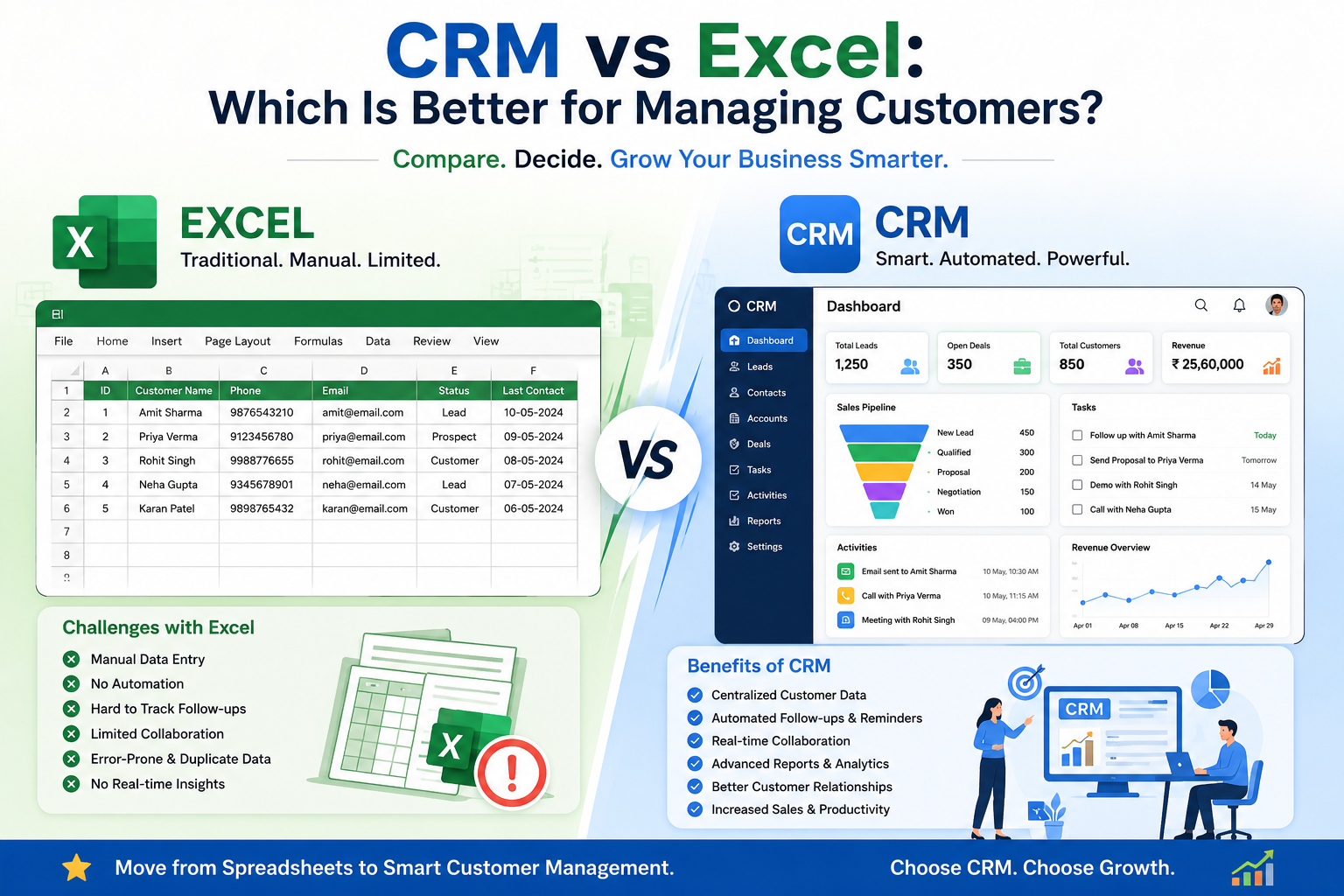
CRM vs Excel: Which Is Better for Managing Customers?
Managing customer information is one of the most important aspects of running a successful business. Whether you're a startup, a small business, or a growing enterprise, keeping track of customer details, sales activities, follow-ups, and communication is essential for building long-term relationships and increasing revenue.
For many businesses, Microsoft Excel is the first tool used to store customer information because it is familiar, affordable, and easy to use. However, as businesses grow, Excel often becomes difficult to manage. Multiple files, outdated customer information, missed follow-ups, and lack of collaboration can slow down business operations.
This is where Customer Relationship Management (CRM) software comes into the picture. Unlike spreadsheets, CRM software is designed specifically to help businesses organize customer data, automate sales processes, track leads, and improve customer experiences. In this guide, we'll compare CRM vs Excel to help you decide which solution is better for managing customers and supporting business growth.
What Is Excel?
Microsoft Excel is a spreadsheet application used for storing, organizing, and analyzing data. Many small businesses initially use Excel to maintain customer lists because it allows them to create tables, sort information, and perform calculations.
- Customer Name
- Company Name
- Phone Number
- Email Address
- Location
- Purchase History
- Notes
What Is CRM Software?
Customer Relationship Management (CRM) software is a specialized business solution that helps companies manage customer interactions, sales activities, marketing campaigns, and customer support from a single platform. Instead of simply storing customer information, CRM software provides intelligent tools that help businesses build stronger customer relationships and improve productivity.
- Stores customer information securely
- Tracks every customer interaction
- Manages sales pipelines
- Automates follow-up reminders
- Lead assignment to sales reps
- Reports and analytics
- Customer service quality
- Sales conversion rates
Modern AI-powered CRM platforms go even further by offering lead scoring, workflow automation, predictive insights, and personalized customer engagement.
CRM vs Excel: A Quick Comparison
| Feature | Excel | CRM Software |
|---|---|---|
| Customer Data Storage | Yes | Yes |
| Contact Management | Basic | Advanced |
| Sales Pipeline Tracking | No | Yes |
| Lead Management | Manual | Automated |
| Follow-up Reminders | No | Yes |
| Team Collaboration | Limited | Excellent |
| Workflow Automation | No | Yes |
| Reports & Dashboards | Basic | Advanced |
| Customer Communication Tracking | No | Yes |
| AI Insights | No | Yes |
| Mobile Access | Limited | Available |
| Security & Permissions | Basic | Advanced |
Advantages and Limitations of Excel
Excel still has its place in business operations, especially for startups and businesses with a small customer base.
- Low Cost: Many businesses already have Microsoft Office
- Easy to Learn: Little training required
- Flexible: Customize spreadsheets to your needs
- Simple Analysis: Formulas, charts, and pivot tables
- Manual Data Entry: Increases chance of human error
- Difficult Collaboration: Version conflicts are common
- No Automation: Cannot assign leads or send reminders
- Poor Tracking: Hard to track calls, emails, meetings
- Limited Reporting: Dashboards need advanced skills
- Security Risks: Data can be deleted or shared unsafely
Advantages of CRM Software
CRM software is built specifically to manage customer relationships and streamline business operations.
All customer information is stored in one secure location, making it easy for every authorized team member to access updated records.
CRM software captures leads from websites, landing pages, emails, social media, and advertising campaigns automatically, so sales teams can prioritize leads based on quality and conversion potential.
One of the biggest reasons businesses lose customers is forgetting to follow up. CRM software automatically reminds sales teams about calls, meetings, emails, payment reminders, renewal dates, and customer birthdays — so no opportunity is missed.
CRM provides a visual sales pipeline where businesses can track every lead from inquiry to closed sale — new leads, qualified leads, proposals sent, negotiation, closed won, and closed lost — improving sales visibility and forecasting.
Every interaction with a customer is recorded inside the CRM. Whether a customer speaks with sales, support, or marketing, everyone has access to the same updated information.
CRM software generates reports on sales performance, lead conversion rate, customer acquisition cost, revenue forecasting, team productivity, and marketing campaign performance — helping businesses make informed decisions.
Modern CRM systems include AI features like lead scoring, customer behavior prediction, automated task assignment, smart recommendations, email automation, and chatbot integration — improving efficiency while reducing manual work.
When Should You Continue Using Excel vs Switch to CRM?
You're Still Small
Fewer than 50 customers, working alone without a sales team, minimal customer interactions, basic record-keeping needs, or a limited budget.
You're Ready to Scale
Data is spread across spreadsheets, follow-ups are missed, your team struggles to collaborate, or you need better reporting and lead tracking.
| Scenario | Using Excel | Using CRM Software |
|---|---|---|
| Handling 100 Inquiries/Month | Manual entry, follow-ups by memory | Auto-captured, auto-assigned to reps |
| Tracking Conversations | Difficult to trace history | Every interaction recorded in one place |
| Sales Progress Visibility | Managers can't easily monitor progress | Real-time dashboards and reports |
| Outcome | Missed opportunities as business grows | Faster response, higher conversion rates |
Why AI-Powered CRM Is the Future
Today's businesses need more than just data storage — they need intelligent systems that help them work smarter.
Predicts Conversions
Identifies which leads are most likely to convert
Automates Admin Work
Handles repetitive administrative tasks automatically
Personalizes Outreach
Tailors customer communication to each contact
Suggests Best Timing
Recommends the ideal time to contact customers
Generates Sales Insights
Surfaces actionable insights from your pipeline data
Improves Retention
Boosts customer retention through proactive engagement
Move Beyond Spreadsheets
Get expert guidance to migrate from Excel, set up your CRM, and automate customer management end-to-end.
Spreadsheet Audit
Evaluate your current customer data and workflows
CRM Migration Plan
Custom roadmap to move data, pipelines, and follow-ups
Implementation Support
End-to-end setup, configuration, and testing
Team Training
Comprehensive training for your sales team
Conclusion
Excel is a great starting point, but it isn't built to manage customer relationships at scale. As your customer base expands, spreadsheets become difficult to maintain and can lead to missed opportunities, duplicate data, and inefficient workflows.
CRM software is purpose-built to help businesses manage customer interactions, automate repetitive tasks, improve collaboration, and make smarter decisions using real-time insights. It provides a centralized platform where sales, marketing, and customer support teams can work together efficiently.
If you're ready to modernize how you manage customers, iSaral AI can help you implement an AI-powered CRM tailored to your business needs.
Why Choose iSaral AI CRM?
At iSaral.ai, we offer an AI-powered CRM solution designed to help businesses simplify customer management and accelerate growth.
Everything in One Place
Manage all customer information, track leads from inquiry to conversion, and automate follow-ups and reminders in a single system.
Real-Time Reports & Insights
Monitor your sales pipeline in real time, generate detailed analytics, and integrate with WhatsApp, email, and other business tools.
Frequently Asked Questions
Can I use Excel and CRM together?
Some businesses export CRM reports into Excel for custom analysis, but day-to-day customer management, follow-ups, and pipeline tracking are best handled inside a CRM rather than a spreadsheet.
At what point does Excel stop working for customer management?
Most businesses feel the strain once they pass around 50 active customers, add a sales team, or start receiving leads from multiple channels — that's when missed follow-ups and version conflicts become common.
Is CRM software expensive for small businesses?
Many CRM platforms, including AI-powered options like iSaral AI, offer plans scaled for small businesses, making the switch far more affordable than the lost revenue from missed follow-ups and disorganized data.
Does CRM require technical expertise to set up?
No. Most modern CRM platforms are designed for non-technical users, with guided setup and support to help import existing spreadsheet data quickly.
How does AI improve CRM over a plain spreadsheet?
AI-powered CRM can score leads, predict buying behavior, recommend next actions, and automate follow-ups — capabilities a static spreadsheet simply cannot offer.
What happens to my existing Excel customer data if I switch to CRM?
Your existing spreadsheet data can typically be imported directly into the CRM, preserving your customer history while adding automation and tracking on top of it.
Explore More Resources
Why 80% of Small Businesses Waste Time on WhatsApp
Discover how to streamline your communication and boost productivity with AI-powered CRM integration.
🧠 Consumer InsightsThe Psychology of Indian Consumers
Discover the key factors that influence Indian consumer behavior, purchasing decisions, and buying patterns to help businesses create effective marketing and sales strategies.
🎯 Lead GenHow AI CRM Helps Close More Sales
Strategic guide to attracting, qualifying, and converting high-value prospects with AI-powered CRM automation.